How to Make an Assetto Corsa Track From a Real Road
Updated October 2, 2026
Short answer: there are three ways to turn a real road into an Assetto Corsa track. Model it yourself in Blender and export it with Kunos' ksEditor (free, but days of work). Use Race Track Builder ($44.99 on Steam, still hands-on). Or use a browser builder: drop two pins on the real road in Drift Maps and it builds the finished track for you. You can't import Google Maps directly. Every method works from open map, elevation and aerial data.
Can you make your own track in Assetto Corsa?
Yes. Assetto Corsa loads any track placed in content/tracks inside the game folder, and Content Manager lists custom tracks next to the official ones. A track is a .kn5 model (the road, terrain and scenery) plus a few files that tell the game where the pits, start line and timing are. Any tool that produces those files works.
Drawing a fictional circuit is easy. A real road is harder: it has to follow the real line, climb and fall with the real terrain, and sit in scenery that looks like the place. That's where the three methods split.
Three ways to build a real road for Assetto Corsa
| Blender + ksEditor | Race Track Builder | Drift Maps | |
|---|---|---|---|
| Cost | Free | $44.99 (Steam) | From $5 per km of road (less on longer roads), or a plan |
| Skill | 3D modelling, AC config files | Moderate, long learning curve | None: two pins on a map |
| Time for a few km | Days to weeks | Hours to days | Minutes to set up; most tracks arrive the same day |
| Real road line | You trace it | You trace it over map data | Snapped to the real road network |
| Real elevation | Import terrain data yourself | Built in | Built in, with camber |
| Scenery | Model or place it yourself | Library objects you place | Built from the real place around the road |
| Best for | Full control, one perfect track | Circuits and hand-made layouts | Real roads: touge, canyon and mountain roads, your local road |
Can I import Google Maps into Assetto Corsa?
Not directly, and it's the most common question. Google Maps and Google Earth don't let you export their roads or 3D buildings into a game, so no tool can turn a Google Maps link into a track. What you can do is use Google Maps and Street View as your reference while you pick the road.
Real-road tracks are built from open data instead:
- The road network from OpenStreetMap: where the road goes and how wide it is.
- Elevation from terrain models (and lidar where it exists): the climbs, drops and crests.
- Aerial imagery: to trace the actual asphalt edge and place the scenery around it.
In Blender you gather and line these up yourself. Drift Maps does it for every build.
Step by step: a real road in Assetto Corsa with Drift Maps
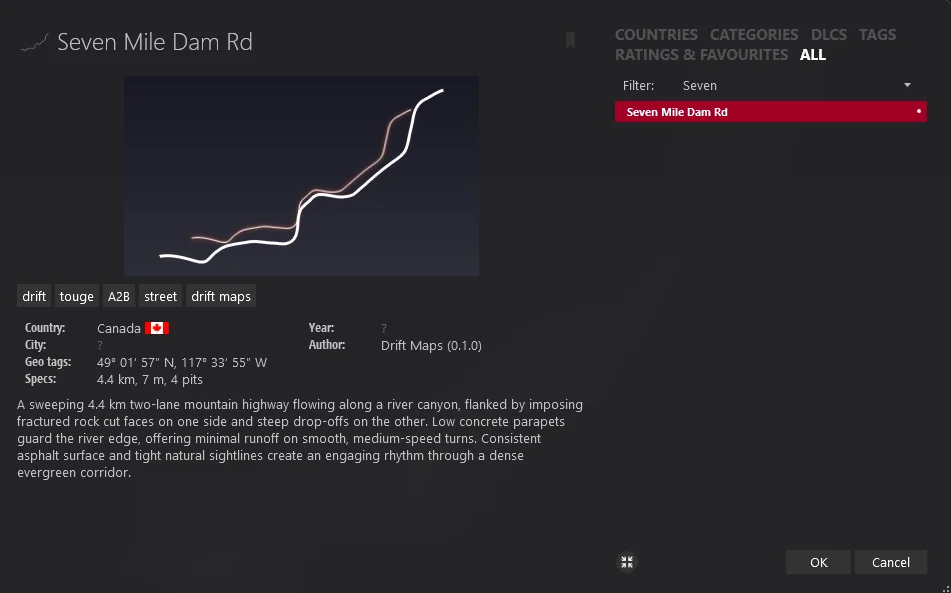
The example is Seven Mile Dam Road near Trail, British Columbia: a 4.4 km two-lane run along the Pend Oreille river canyon, with rock cuts on one side and a low parapet over the drop on the other.
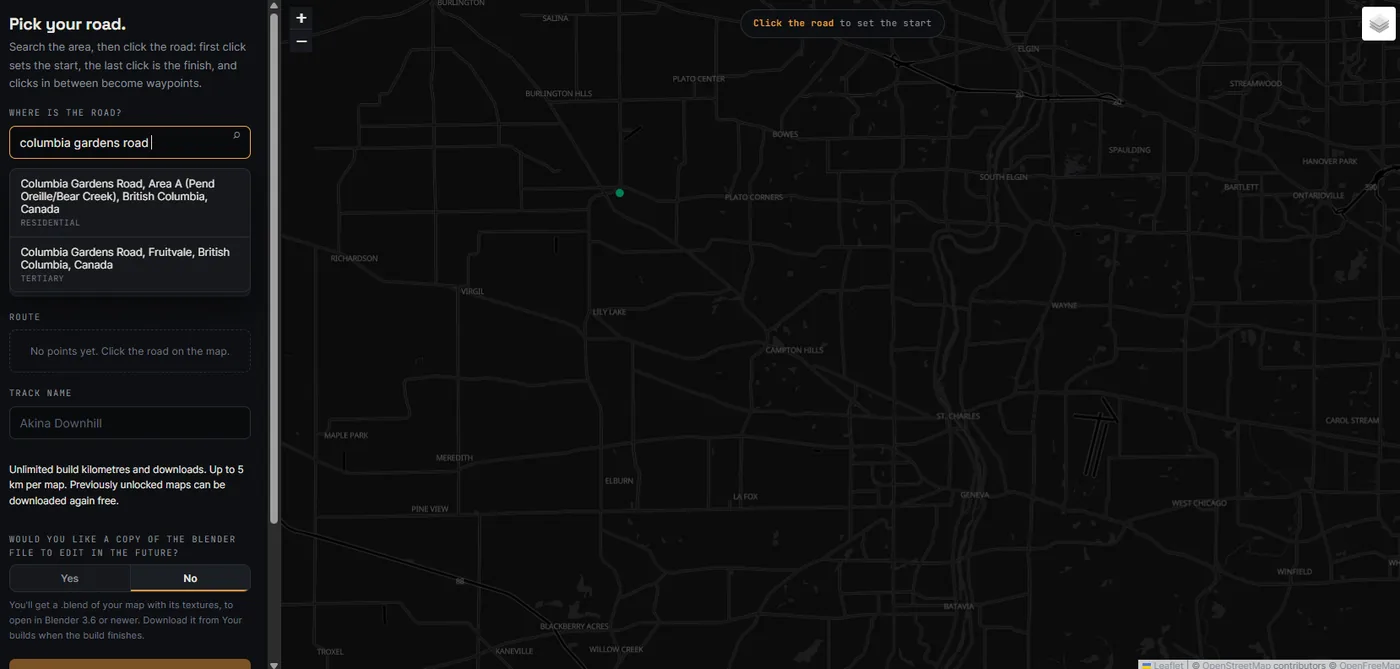
1. Search for the road
Open the builder and type a road or town into the search box. Pick the match, and the map flies to it. Here a search for Columbia Gardens Road, the road it joins, gets you to the right valley.
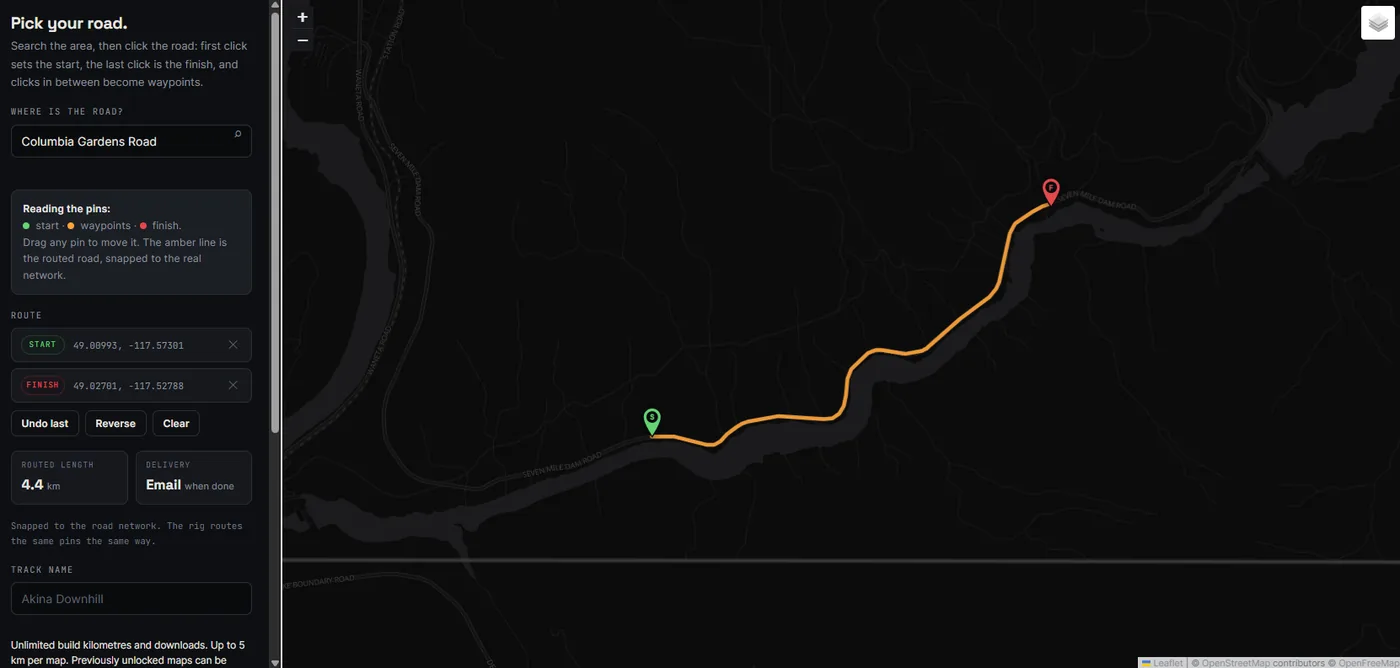
2. Drop a start and a finish pin
Click the road where you want the track to start, then where it should finish. Clicks in between become waypoints, useful when the road forks. The route snaps to the real road network, and the panel shows the routed length. Drag any pin to adjust it, or use Reverse to drive it the other way.
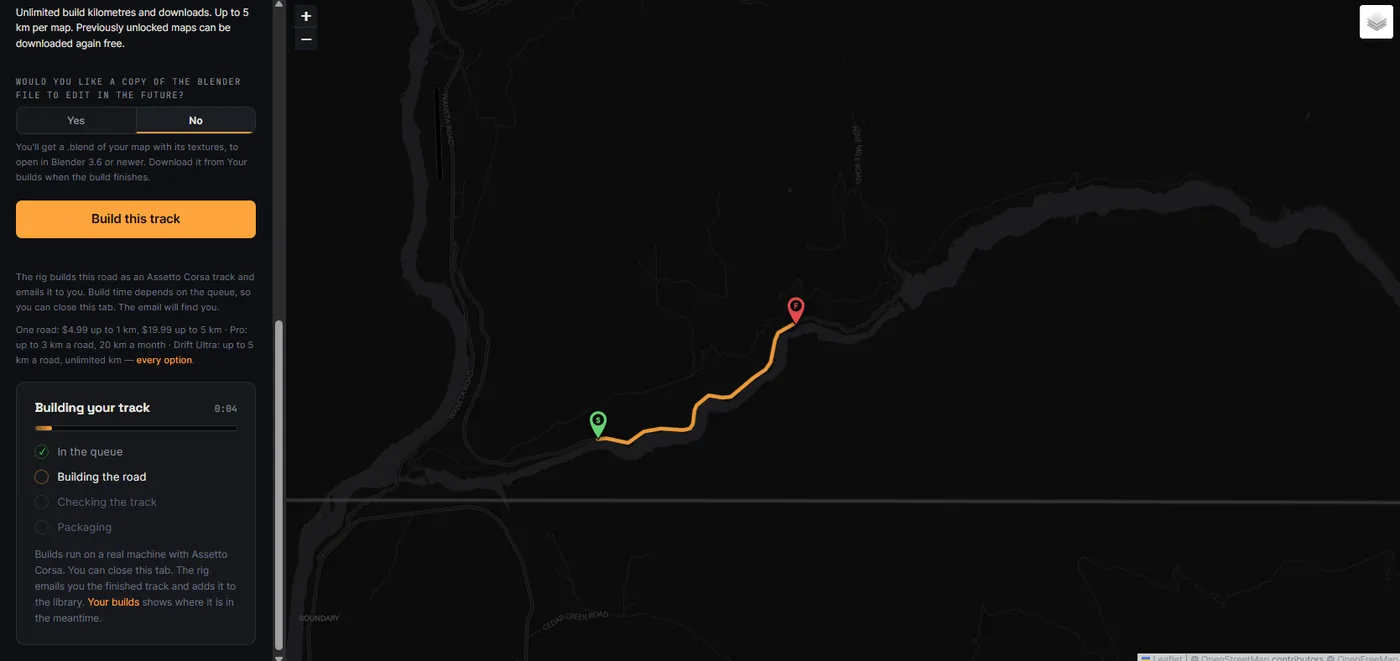
3. Name it and build
Give the track a name, and choose whether you also want the .blend file (Blender 3.6 or newer) to edit later. Then hit Build this track. The build runs on a dedicated machine with Assetto Corsa: it queues, builds the road and terrain, runs automatic checks on the track and packages it. You can close the tab. The finished track is emailed to you and shows up in Your builds.
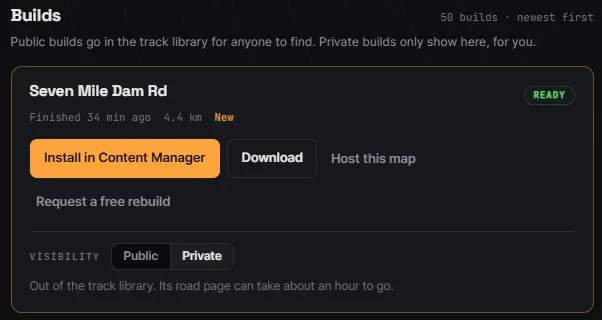
4. Download and install with Content Manager
The delivery email has a one-click Install in Content Manager link. Content Manager downloads the track and installs it. If you'd rather do it by hand, unzip the download into content/tracks inside your Assetto Corsa folder.
5. Drive it
The track appears in Content Manager like any other mod. Pick a car and go.
What it looks like in game
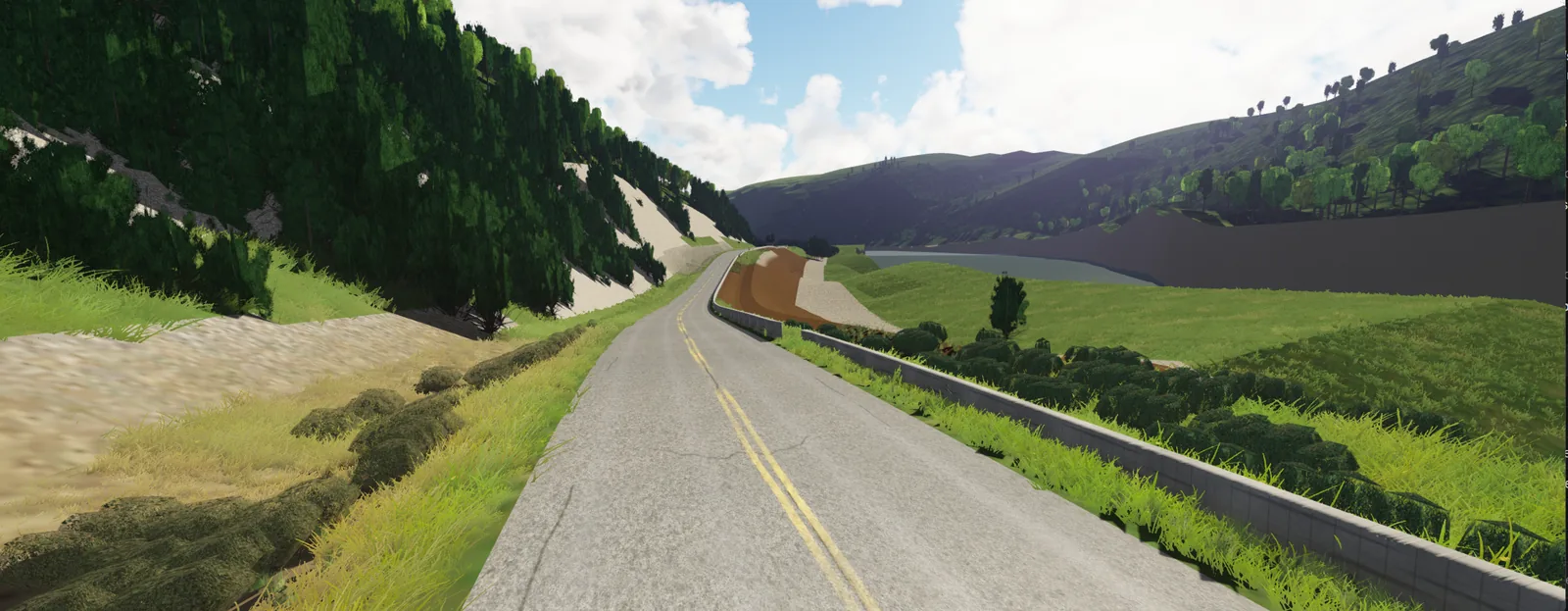
On the real Seven Mile Dam Road, a fractured rock cut rises on one side, the river runs below the other behind a low concrete parapet, and the two-lane asphalt follows the canyon. Here is the same road in Assetto Corsa, built from the two pins above:
The manual way: Blender and ksEditor
If you want full control over every polygon, build it yourself. The short version:
- Get the data. Download the road line from OpenStreetMap and a terrain model for the area. The Blender GIS add-on can import both.
- Model the road. Build the road surface along the line, then terrain, walls and scenery. Name collidable meshes the way Assetto Corsa expects (the road as
1ROAD, grass as1GRASS, walls as1WALL). - Export to FBX and open it in Kunos' ksEditor, part of the Assetto Corsa SDK. Assign shaders and textures and save it as a
.kn5. - Add the track files: spawn points for pits and the start, a
ui/ui_track.jsonwith the name and length, a preview image and an outline. - Copy the folder into
content/tracksand test it in Content Manager.
It's free and you learn a lot. Expect the first real road to take days, and longer if you want it to look like the place.
Already have a Drift Maps build and want to edit it? Tick the Blender file option when you build and you get the .blend to start from.
What makes a real road good in Assetto Corsa
Not every road that looks fun on a map drives well in the sim. From the roads we've built:
- Linked corners beat long straights. Roads where one bend runs into the next, like switchbacks, hairpin stacks and canyon esses, give you something to do the whole way.
- Elevation makes it. A climb or descent changes how every corner feels. Mountain passes and touge roads are popular for a reason.
- Width matters. Narrow lanes feel tense and real. Wider roads are easier to learn and better for tandems with friends.
- Keep it a few kilometres. 2 to 5 km is long enough to learn and short enough to run again and again.
Looking for ideas? Browse real roads other drivers have built, or see what people are asking for on the community board. Drive them in the sim only, never on the real road.
FAQ
Can you get custom maps on Assetto Corsa?
Yes, on PC. Download a track mod, then install it with Content Manager or unzip it into content/tracks. Console versions don't support mods.
Is there an Assetto Corsa map generator?
Yes. Drift Maps generates a finished track from two pins on a real road, with real elevation and the scenery around it. Race Track Builder and browser circuit tools generate tracks from layouts you draw yourself.
Do custom tracks work in Assetto Corsa Competizione?
No. ACC doesn't load custom tracks. Track mods, including Drift Maps builds, are for the original Assetto Corsa.
How long does it take?
By hand in Blender, days to weeks for a few kilometres with scenery. With Drift Maps you pick the road in a couple of minutes, and most tracks are delivered the same day.
Can I build my own street or hometown road?
If it's on the public road network, yes. Search for it, drop the pins and build. Up to 50 km per track.